

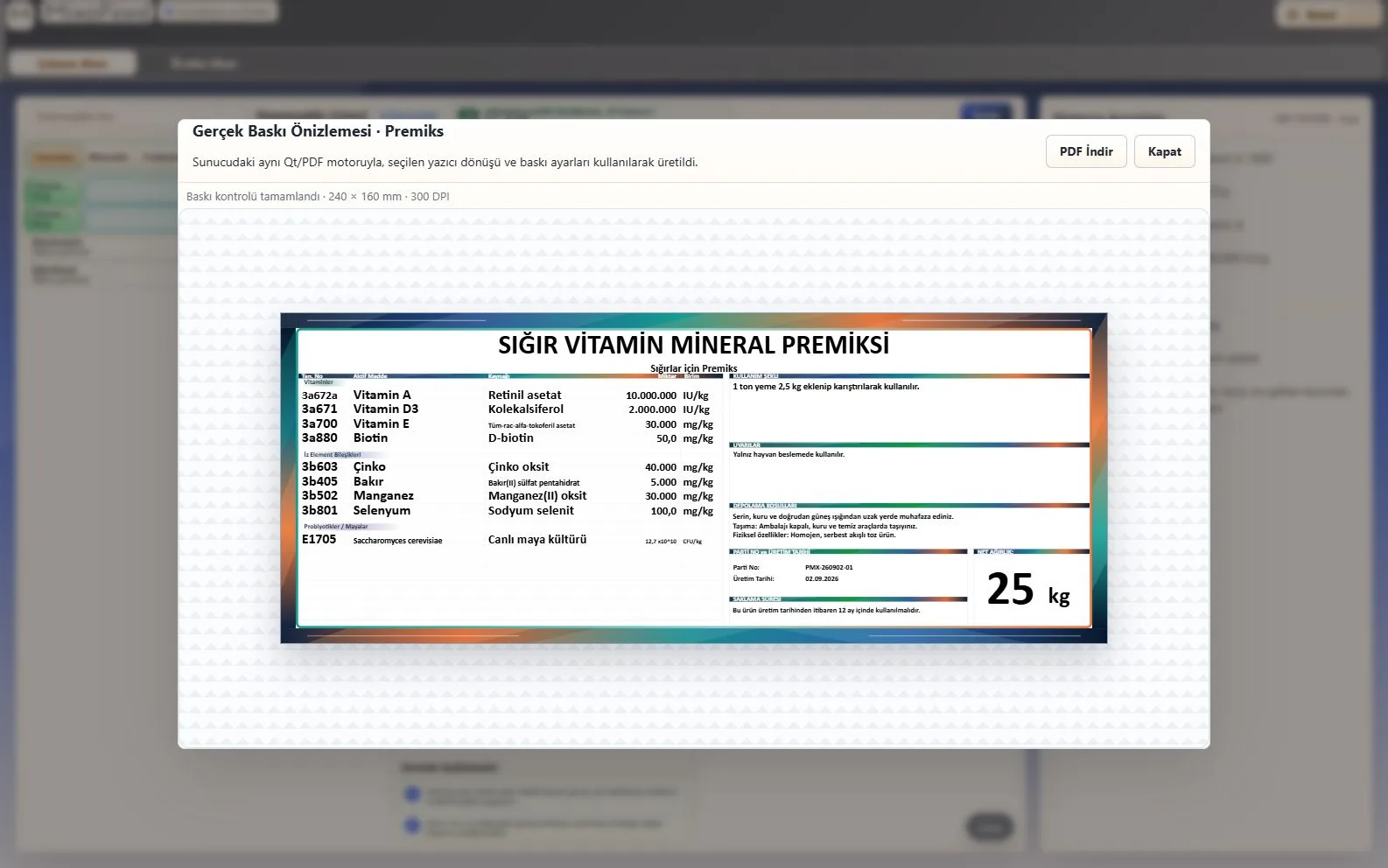
LABEL PRINT PREVIEW
Print-ready premix label.
Current formula data is prepared for PDF and print output in the approved label layout.
MixoFeed brings formula, costing, label, quotation, work-order and ERP preparation together in one current product record. The screens, documents and connections you use are verified, planned and tested against your real production workflow.
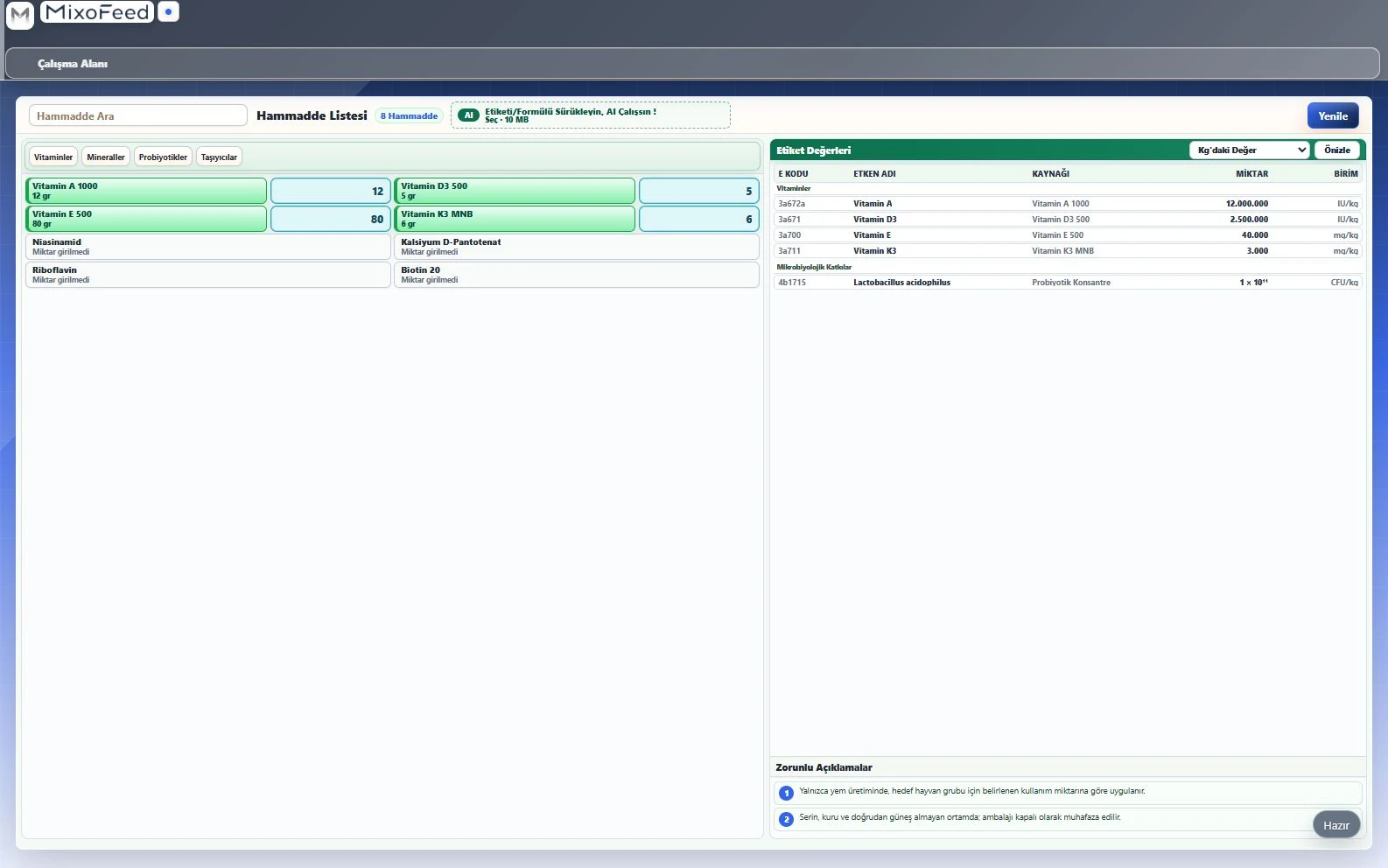
MixoFeed formula workspace · IU/kg, mg/kg and CFU/kg
Explore the formula workspace, premix label print preview and production workflow managed from the same current record.
Current formula data is prepared for PDF and print output in the approved label layout.
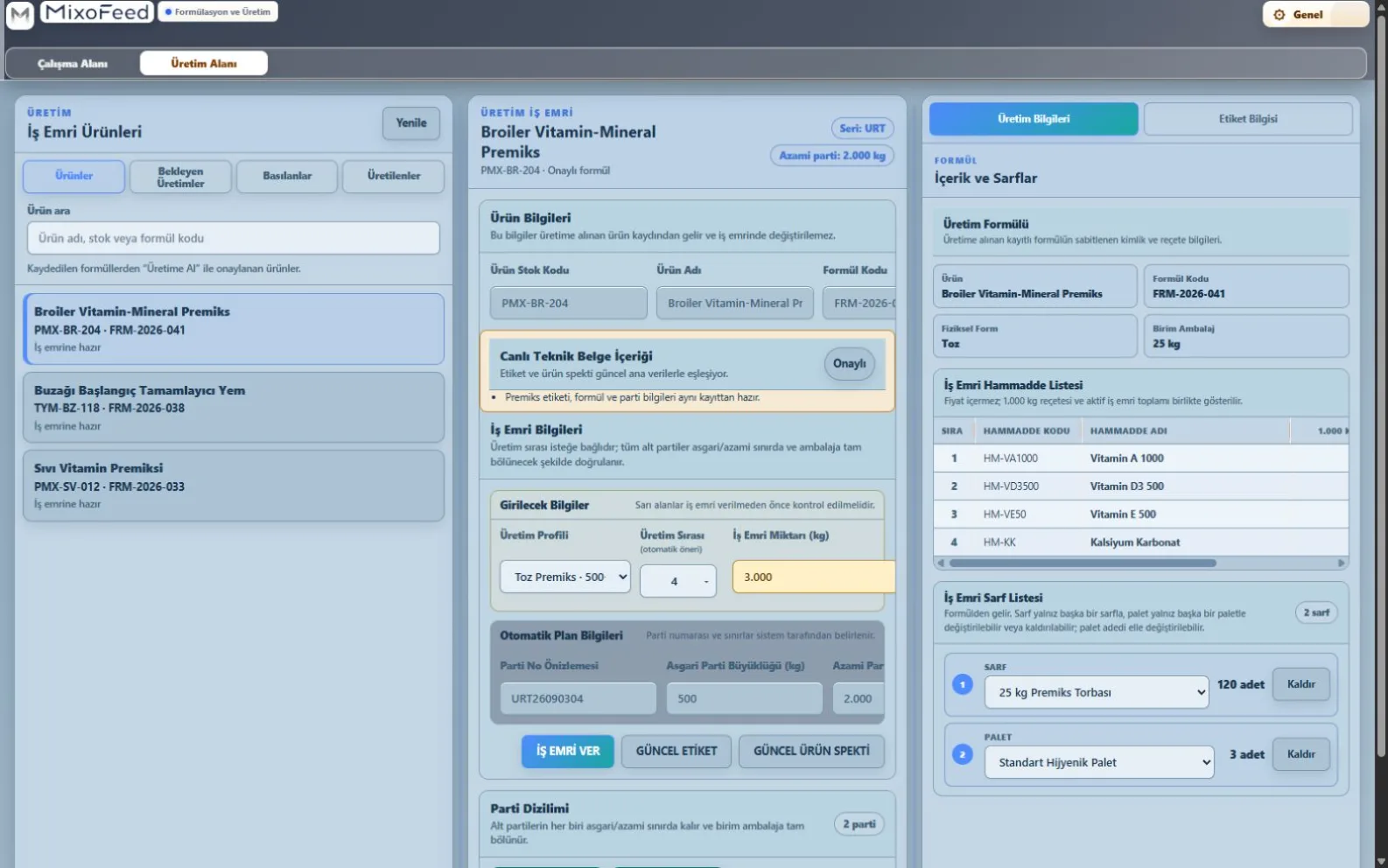
Premix and complementary-feed products are managed with batch plans, recipes, consumption data and current labels in one production workspace.
MixoFeed focuses on two product families: premix and complementary feed. It applies the relevant formula, label and production workflow to each form or type.
Manage powder, granular, liquid and pellet forms with their own unit, density, packaging and production rules.
Prepare usage, composition, mineral analytics, costing and label information in one product record.
Every area uses the same current information. A change in the formula can be reused for costs and documents. ERP and production connections can be added to this flow when required.
One current recordShared information instead of scattered files
Grow step by stepStart with today's needs and add more later
Manage your own ingredient records and ready reference lists in one organised place.
Follow ingredients, quantities, units and target checks on the same formulation screen.
See how ingredient prices affect total cost and prepare quotations from the same information.
Prepare the ERP product tree. A connection suited to your ERP is then built and tested separately.
Prepare labels and quotations without retyping formula information, then export them as PDF files.
Decide what each user can view and change according to their role.
MixoFeed reviews formula reports, feeding information supplied by your operation and the literature sources you select to prepare clear feeding reports. Findings, source context and items requiring review are presented together.
SOURCES REVIEWED TOGETHERFormula reportsQuantities, active components, targets and check results
Feeding informationAnimal group, use period, product purpose and operational notes
Literature sourcesSelected technical publications, studies and source context
Decision support, not an automatic decision.The AI report organises sources and the assessment. Source suitability and final formulation and feeding decisions remain under the control of your qualified specialist.
Once the connections required by your operation are in place, the same current information can support every step from ingredients and production to customer documents.
Ingredient lists and records
Quantities, units and checks
Prices and additional expenses
Product tree and custom connection
Connection built for the system in use
Labels, quotations and PDF files
Your ERP connection is built around your operation. The product tree and required fields are mapped to the ERP you use, and the connection is tested before use.
Production system connections are planned separately. Your production software or machinery system is reviewed first; a suitable connection is then built and tested.
Every operation has different products, roles and systems. MixoFeed is adapted to your real workflow after reviewing user roles, documents, data fields and required connections.
Scope built around needStart with the areas that can create operational value, then extend the scope as your needs develop.
Structured workflowConnect roles, permissions, approvals and revisions to defined steps that reduce dependence on individuals.
Cost visibilityReuse formula and ingredient information to see cost effects earlier and more consistently.
Connections and documentsERP and production connections, label templates and quotations are planned and tested around your operation.
Current formula information is used directly in labels and quotations. This reduces repeated entry and helps prevent differences between documents.
MixoFeed runs on Windows and works with a secure cloud environment prepared for the customer. Access to information and connections to external systems are defined around your operation.
New customer setups are prepared so that each customer's information and workspace remain separate.
Cost, ERP, management and daily-use screens are opened according to each user's role.
Fields, permissions and controls for ERP and production connections are defined and tested before use.
Customer-bound licensing and controlled updates help keep the software dependable.
User permissions, separate customer environments, connection checks and protection of sensitive information are considered together.
In the first meeting, we review your current production process, ERP, documents and the production connections you want to establish.
MixoFeed is a Windows application that works with a secure cloud environment prepared for the customer. The capabilities and information in use are selected around your operation.
MixoFeed focuses on powder, granular, liquid and pellet premix, complementary feed and complementary mineral feed operations. The real software scope for each product group is validated against your workflow.
Connections are not ready-made with one click. We first review the ERP or production system you use and define the required fields and permissions. A customer-specific connection is then built and tested.
Yes. User permissions, selected capabilities, ERP connection, working steps, labels and quotation templates can be configured for your operation.
Leave only the essential details. We will listen to your formulation, costing, document and system-connection needs, then define a suitable demo scope together.